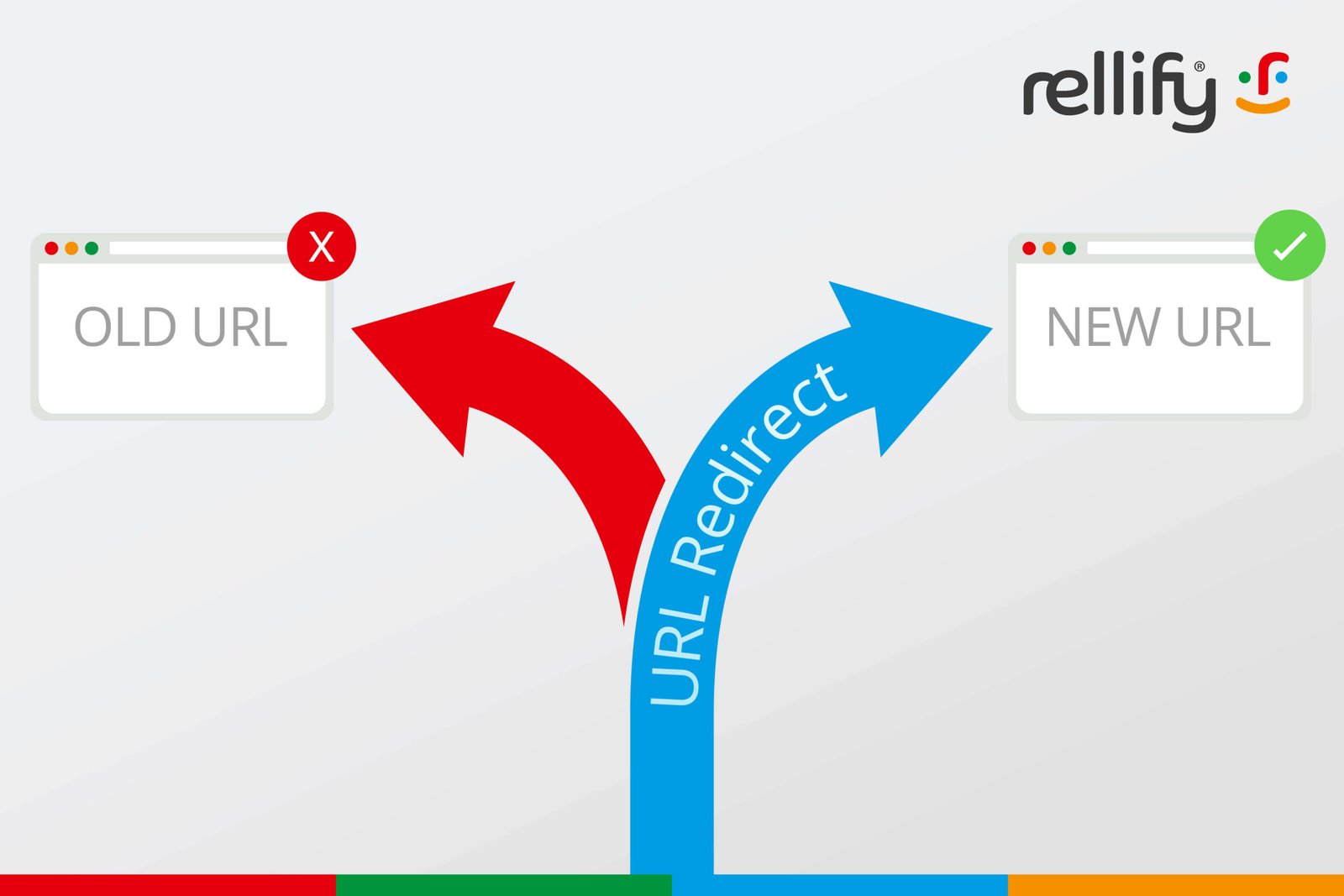

Changing a URL can hurt SEO if the old address is not redirected to the right new page. Search engines treat URLs as separate documents, so a move without a redirect can break rankings, backlinks, analytics, and user paths. Google’s redirect guidance confirms that permanent redirects help send users and search engines to the new location.
TLDR: A URL change is safe only when a matching redirect plan is in place before launch. For example, a retailer that moved 120 product URLs and mapped each old URL to a close new match might see organic sessions dip 8% for 10 days, then recover to 96% of prior traffic by week four. The biggest risk is not the new URL itself. The real risk is a missing, weak, or messy redirect.
What Changes When a URL Changes?
A URL is more than a web address. It is a location search engines crawl, index, rank, and connect to links. When that address changes, search engines must learn that the content has moved.
If no redirect exists, the old page may return a 404 error. That tells search engines the page is gone. Users who click old links hit a dead end. Backlinks from other sites may stop helping the new page. Rankings can fall fast.
With a proper redirect, the old URL points to the new URL. Search engines can then transfer many ranking signals. This includes backlinks, relevance signals, and historical trust. The process is not always instant, though. Crawlers need time to visit the old URL, process the redirect, crawl the new page, and update the index.
What Is Link Equity?
Link equity is the value passed through links. If a trusted website links to a page, that link can help the page rank. The value depends on many factors, including the linking page’s authority, relevance, anchor text, and crawlability.
When a URL changes, link equity can still reach the new page through a redirect. But careless redirects can weaken the result. A redirect from an old blog post to an unrelated homepage is not a good match. Search engines may treat it as less useful. Users will also bounce because the page fails to answer their intent.
The best redirect sends each old URL to the closest new version of the same content. If the old page was about blue running shoes, the new target should also be about blue running shoes. Not a shoe category. Not the homepage. Not a generic sale page.
301, 302, 307, and 308 Redirects
Redirect type matters because it tells search engines how to treat the move.
- 301 redirect: A permanent move. This is the standard choice for most SEO URL changes.
- 302 redirect: A temporary move. Useful for short campaigns, tests, or temporary stock issues.
- 307 redirect: A temporary redirect that preserves the request method. More common in technical setups.
- 308 redirect: A permanent redirect that also preserves the request method. Similar SEO use to a 301 in many cases.
For most site migrations, slug edits, HTTPS moves, and content restructuring, a 301 redirect is the safest default. It tells search engines that the old URL should be replaced by the new one.
Common SEO Problems After a URL Change
URL changes fail for boring reasons. That is the annoying part. One missing slash, capital letter, or tracking parameter can waste hours.
- Broken backlinks: External links still point to old pages with no redirect.
- Redirect chains: One URL redirects to another, then another, then another. Crawlers and users wait longer.
- Redirect loops: Page A redirects to Page B, and Page B redirects back to Page A.
- Soft 404s: An old page redirects to a poor match, such as the homepage.
- Mixed signals: Redirects point one way, but canonical tags point somewhere else.
- Old internal links: The site keeps linking to redirected URLs instead of final URLs.
It drives teams crazy that a page can “work” in a browser while still sending bad SEO signals. A page may load after two redirects. A human may not care. A crawler may still treat it as wasteful and unclear.
How Much Traffic Can Drop?
A clean URL change may cause only a short dip. Search engines need time to refresh results. A messy change can cause a deeper loss that lasts for months.
Small sites may recover within days. Large ecommerce sites with thousands of URLs can take weeks or longer. High-value pages with many backlinks should be watched first. These pages carry the most link equity and often drive the most revenue.
A normal pattern may look like this:
- Days 1 to 7: Search engines crawl old URLs and find redirects.
- Weeks 2 to 4: New URLs begin replacing old URLs in search results.
- Weeks 4 to 8: Rankings settle if redirects, content, and internal links are clean.
Best Practices Before Changing URLs
A redirect plan should exist before any URL goes live. Guessing after launch is costly. The team should export every current indexable URL and map it to a final destination.
- Crawl the site first: Use a crawler to collect current URLs, titles, status codes, canonicals, and internal links.
- Match old pages to close new pages: Relevance matters more than convenience.
- Use one hop only: Old URL should redirect straight to the final URL.
- Update internal links: Links should point to the new URLs, not redirected ones.
- Update XML sitemaps: Submit only the final, canonical URLs.
- Keep redirects active: Important redirects should stay in place for a long time, often years.
- Check canonical tags: Each new page should canonically reference itself unless there is a clear reason not to.
What to Do After Launch
After the URL change, the team should test everything. This is not busywork. It protects revenue.
Key checks include:
- Status codes: Old URLs should return 301 or another correct redirect status.
- Final targets: Each redirect should land on a working 200 page.
- Indexing: New URLs should appear in search results over time.
- Traffic: Organic sessions, clicks, impressions, and conversions should be compared with the old baseline.
- Backlinks: Important referring links should be reviewed. If possible, top partners should update links to the new URLs.
- Log files: Server logs can show whether search bots are still hitting old URLs often.
When Should a URL Be Changed?
A URL should change only when there is a clear reason. Good reasons include moving to HTTPS, fixing a poor site structure, removing dates from evergreen content, merging duplicate pages, or migrating to a new platform.
Bad reasons include tiny keyword tweaks, personal taste, or a cleaner-looking slug with no business value. Every URL change creates work. It also creates risk. If a page already ranks well and the URL is not causing a real problem, leaving it alone may be the smarter move.
FAQ
Does changing a URL always hurt SEO?
No. A properly redirected URL can keep most SEO value. A short ranking dip may still happen while search engines process the change.
Which redirect is best for SEO?
A 301 redirect is usually best for a permanent URL change. It clearly signals that the old page has moved for good.
How long should redirects stay active?
High-value redirects should stay active for years. Old backlinks, bookmarks, emails, and social posts can keep sending traffic long after a migration.
Can a redirect pass all link equity?
A good redirect can pass many signals, but poor relevance, chains, loops, and weak target pages can reduce the benefit.
Should redirects point to the homepage?
Usually, no. Redirecting many old pages to the homepage can create soft 404 issues. The target page should closely match the old content.
Should internal links be updated after redirects are added?
Yes. Internal links should point straight to the final URLs. This reduces crawl waste and sends clearer signals to search engines.