Newsletter Subscribe
Enter your email address below and subscribe to our newsletter
Enter your email address below and subscribe to our newsletter

 ByJohn A
The rapid pace of technology upgrades means businesses are constantly replacing computing equipment. Newer systems can offer better performance, improved security features, greater capacity, and compatibility with modern applications. However, every equipment upgrade creates a new responsibility: deciding what should happen to the old hardware.
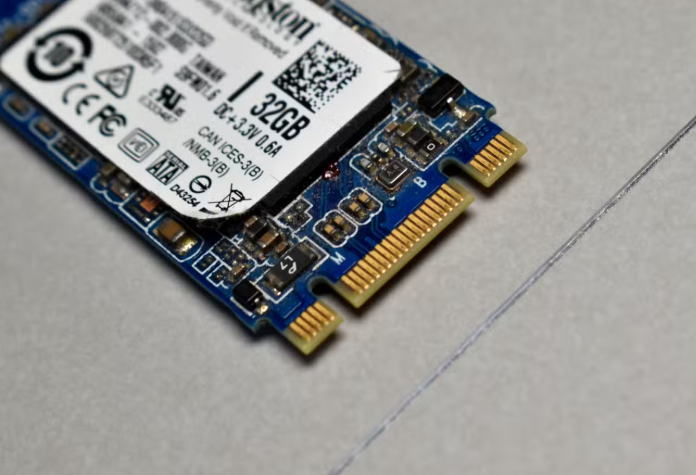
Storage devices require special attention because they can contain information long after an organization stops using them. An SSD that has been removed from a laptop or server may still contain information that should never be exposed outside the organization.
Businesses evaluating ssd destruction services should consider how physical security, data protection, asset management, documentation, and environmental responsibility fit together in the retirement process.
An effective destruction program begins with knowing what equipment exists.
Organizations should maintain records that identify storage devices and connect them to the computers, servers, or other systems where they were installed.
This makes it easier to determine what information may be present and which devices require special treatment.
Accurate inventories also reduce the chance that a retired drive will disappear into an office storage area without being processed.
Businesses should understand the type of information stored on their equipment.
Customer information, financial records, employee data, proprietary documents, and authentication information may all require different levels of protection.
Classifying information can help organizations determine whether a device should be sanitized for reuse or physically destroyed.
Removing a drive from a computer does not destroy the information stored on it.
Similarly, placing an SSD in a recycling bin does not provide adequate protection for sensitive data.
Destruction requires a deliberate process designed to make the storage media unusable and prevent the original information from being accessed through the device.
Organizations should select methods that align with their security requirements.
A secure destruction process must include transportation. Retired devices can be vulnerable during movement between offices, storage areas, and processing locations.
Organizations should establish procedures for who can transport storage media, how it is packaged, where it is stored, and how transfers are recorded.
These controls help maintain accountability throughout the process.
A destruction process should not end with someone saying that a device was destroyed. Businesses may need records confirming what was processed and when.
Documentation can support internal audits and help organizations demonstrate that their procedures were followed.
For larger technology refreshes, detailed records can also simplify reconciliation between the original inventory and final disposition.
Once a storage device has been securely destroyed, its materials still have potential value.
Responsible recycling can recover metals and other components, helping reduce unnecessary resource loss.
Businesses should therefore look for processes that combine secure data handling with appropriate downstream material recovery.
This approach helps organizations meet both security and environmental objectives.
Many businesses wait until old equipment has already been removed before deciding how to handle it. This creates unnecessary pressure.
A better strategy is to plan disposition at the beginning of the refresh project.
IT teams can identify the equipment being replaced, security teams can define destruction requirements, facilities teams can coordinate collection, and management can establish documentation expectations.
Planning makes the process faster and more predictable.
Distributed workforces can complicate asset retirement. Employees may have company laptops and other equipment at home rather than in a central office.
Businesses should provide remote workers with clear instructions for returning retired devices.
They should also make sure employees understand that company storage media should not be placed in household recycling or garbage.
A destruction process that works for ten devices may not work for several thousand.
Businesses should consider how their procedures will perform during large refresh projects, office closures, mergers, acquisitions, or data center changes.
Scalable processes can reduce disruption and ensure that security requirements remain consistent even when equipment volumes increase.
SSD retirement should be approached as a structured business process rather than a simple disposal task. Organizations need to understand what information is stored on devices, determine appropriate destruction methods, control access, maintain documentation, and consider the environmental outcome.
By planning ahead and establishing consistent procedures, businesses can reduce the risks associated with retired storage media while improving the overall efficiency of their technology lifecycle management.
A secure end-of-life process protects both information and the organization responsible for it.